
Find a meeting and race#
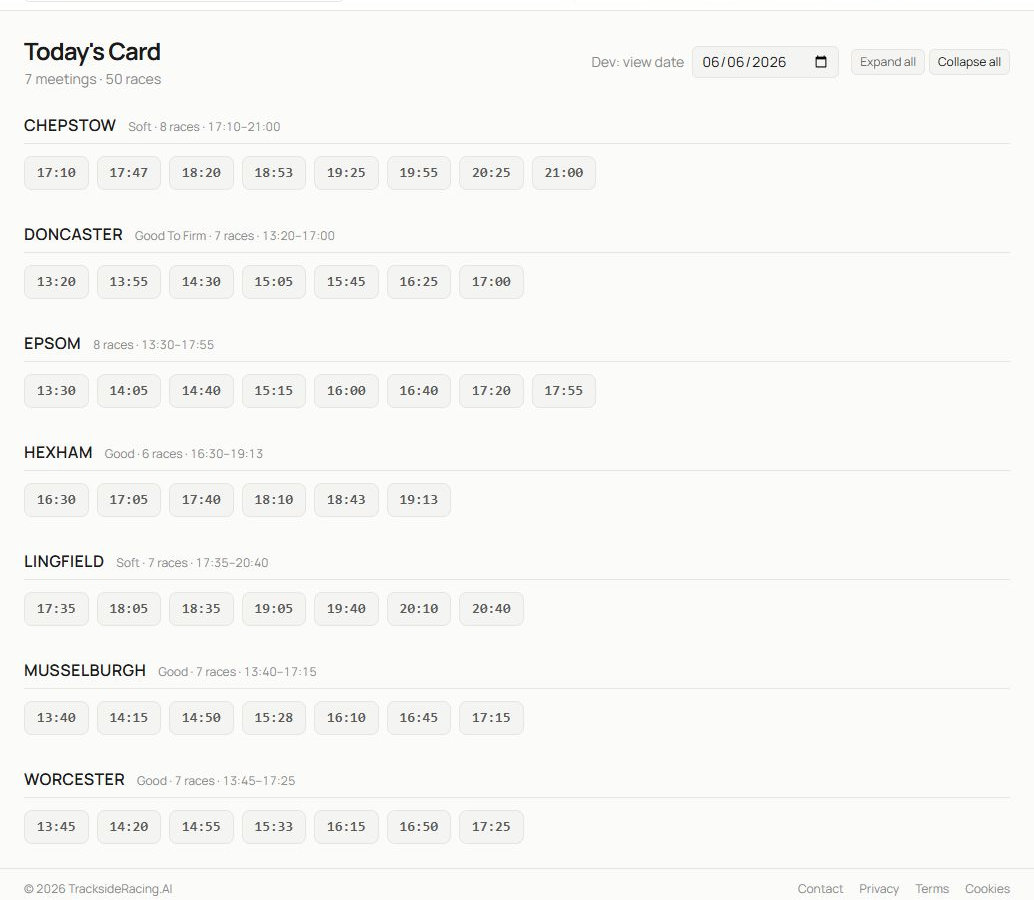
- Use the date control to view the card for another available day. Expand all and Collapse all change every meeting at once.
- Each meeting heading gives the course, going, number of races and first-to-last race times.
- Select a race-time button to open that race within the meeting.
- Continue down the page for the remaining meetings. The same time may appear at more than one course, so keep the meeting heading in view.
Race-time buttons are the quickest route when you already know the course and off time. If you need to filter by race class, distance, type or going across many dates, use Race Browser instead.
Read the expanded racecard#
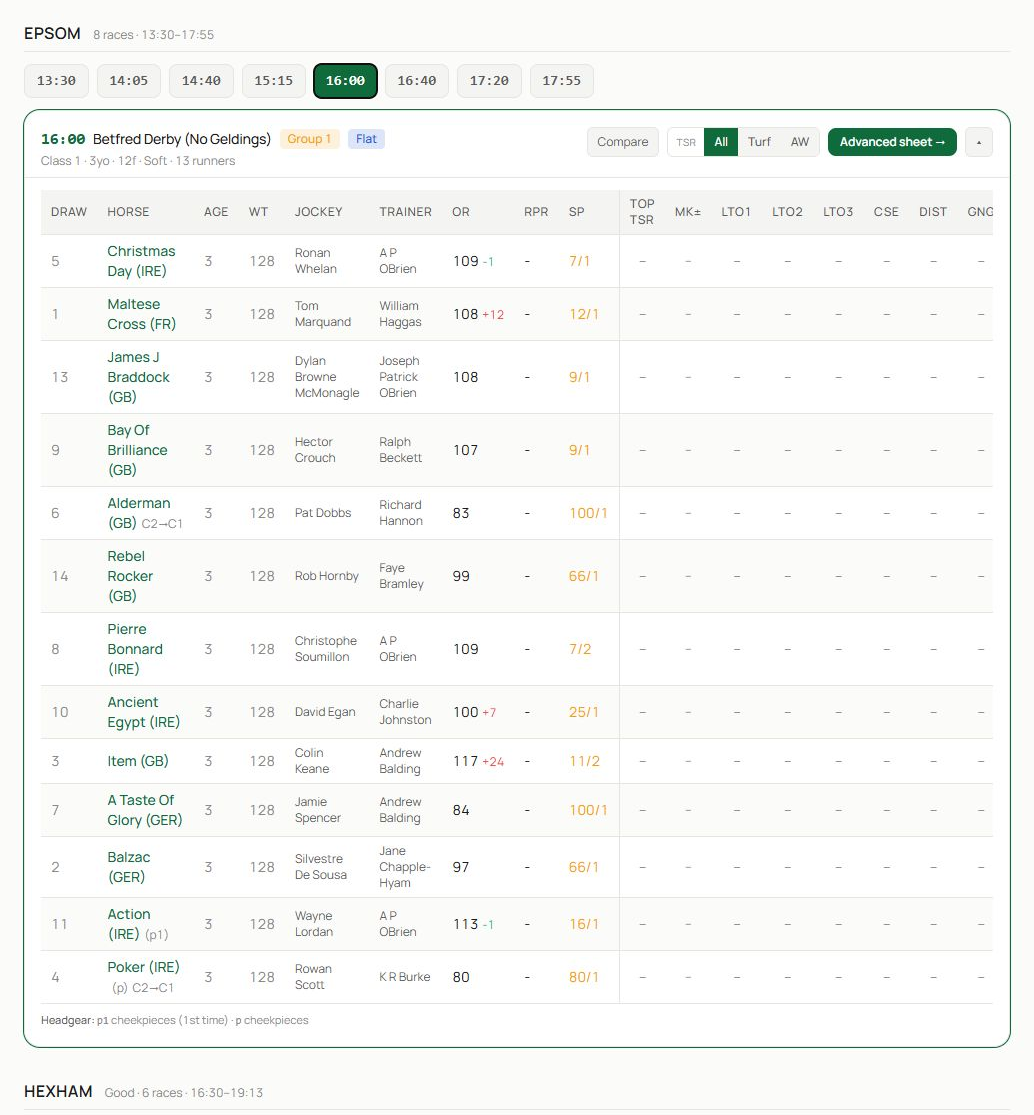
- The row of times remains available so you can move between races at the same meeting.
- The race header summarises the off time, title, class, pattern status and surface. Use its actions to compare runners, open a TSR view where available, switch between All, Turf and AW form, or open the advanced sheet.
- The runner table brings the main evidence together: draw, horse, age, weight, jockey, trainer, official rating, recent performance ratings, top-speed values, market price and other race-specific columns.
Select a horse name for the full profile. Trainer and jockey names also lead to their analytics pages. Free members can view TSR for the first race at each meeting, including the latest three TSR and percentile history values; locked cells in later races require Basic or above. An ordinary blank means the historical input is unavailable and must not be treated as zero.
Use the form scope controls#
The All, Turf and AW options change the surface scope used for relevant recent-form information. Match the scope to the race you are studying, but check whether the horse has enough comparable runs before relying on the reduced sample.
Compare runners or open a sheet#
Choose Compare when two or more horses need a direct statistical comparison. Choose the race sheet when you want recent EAPF figures, cycle phase, running style and trainer or jockey form in one grid. Advanced actions show their plan requirement in the interface.
A practical racecard routine#
- Confirm the race conditions and field size.
- Review the draw in the context of course and distance.
- Check each runner’s recent figures and whether today’s surface matches the evidence.
- Open unfamiliar horses, trainers or jockeys for context.
- Compare the strongest candidates.
- Use the race speed sheet to look for figure consistency, improvement, regression risk and pace shape.
Related guides#
See Race Browser and Race Details for historical searching, Horse Comparison for side-by-side analysis and Speed Figures and Speed Sheets for the advanced race grid.