
What an alert monitors#
An alert is linked to a saved System. It always evaluates the latest saved version of that System and checks the published declarations for the selected racing day. When runners match, TracksideRacing.AI creates an in-app summary for that monitored System and racing day.
Only declaration-safe conditions can be monitored. Criteria that depend on information unavailable at declaration time cannot be used for a live card alert.
Enable an alert#
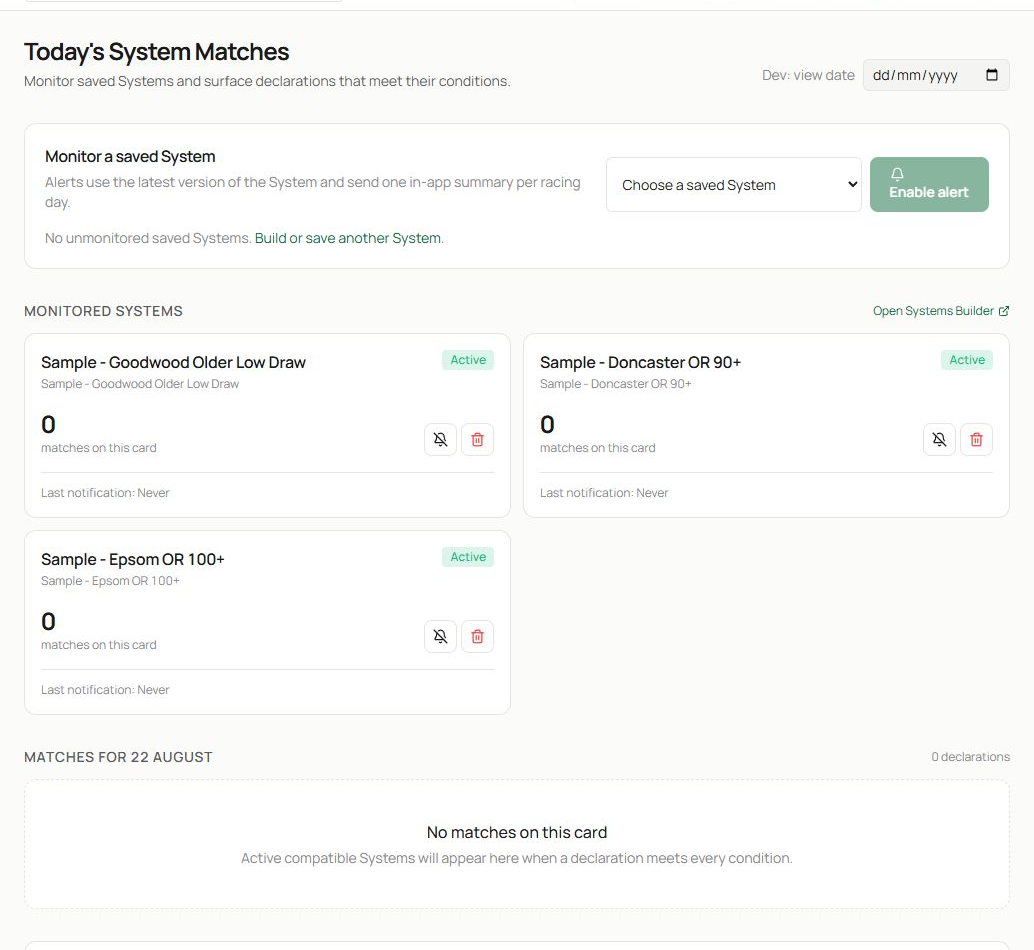
- Use the date control to inspect another declared card.
- In Monitor a saved System, choose an eligible system and select Enable alert. The page explains when no unmonitored saved systems are available.
- Existing alerts appear under Monitored systems. Each card shows the system name, active or paused state, number of matches on the selected card and last-notification information.
You can also open My systems in Systems Builder and select Convert to alert beside an eligible saved system.
Read today’s matches#
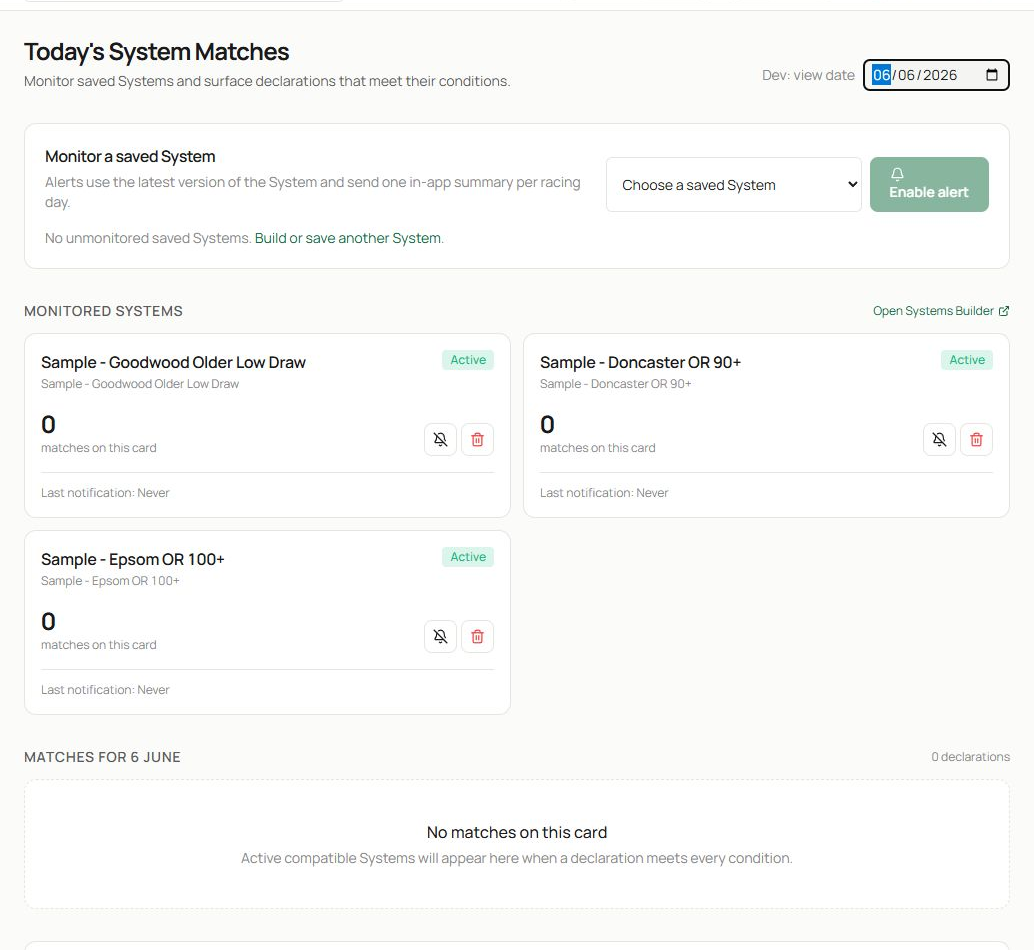
- Confirm the racing date before reading the cards.
- Review each monitored System. An active card is being evaluated; a paused card remains saved but does not produce new daily summaries.
- Matches for [date] lists declared runners that meet every supported condition. A no-matches message simply means the current card produced no qualifiers.
Open a match to continue into the relevant race or runner research. The alert tells you that the system definition matched; it does not replace a final race check.
Pause, resume or remove monitoring#
Use the status control on an alert card to pause or resume it. Pausing is useful when you want to keep the link to the System but stop daily evaluation. Use the delete control only when you no longer want that System monitored; the saved System itself remains managed in Systems Builder.
If you edit and save the linked System, future alert evaluations use its latest definition. Reopen the System and rerun the historical results after a material edit so you understand what the alert now represents.
A declaration-day alert routine#
- Open Alerts after declarations are available.
- Confirm the date and active status of each monitored System.
- Review the match count, then open every qualifier.
- Confirm non-system context: withdrawals, going changes, draw, pace, price and recent news available to you.
- Return after meaningful card changes; qualifying summaries reflect the supported declaration data.
If no System can be selected#
The saved-system selector can be empty because every eligible System is already monitored, no Systems have been saved, or the available Systems contain conditions that cannot be evaluated safely from declarations. Open Systems Builder to save or revise a suitable definition.
Related guides#
Read Systems Builder before creating an alert. Use Today’s Card, Race Browser and Race Details and Horse Browser and Horse Profiles to review a qualifier in context.